
Power BI Custom Visual
mcCalendar
The calendar visual that looks native inside Power BI, yet behaves like a full app. Show schedules with pixel-perfect styling, then push edits straight back to your own API.
Writeback that your team can trust
Writeback for Power BI: create, update, and delete calendar events directly from the report, then persist your changes back to the source data using your API. mcCalendar sends clean JSON payloads to your configured endpoint using POST, PUT, and DELETE.
Highlights
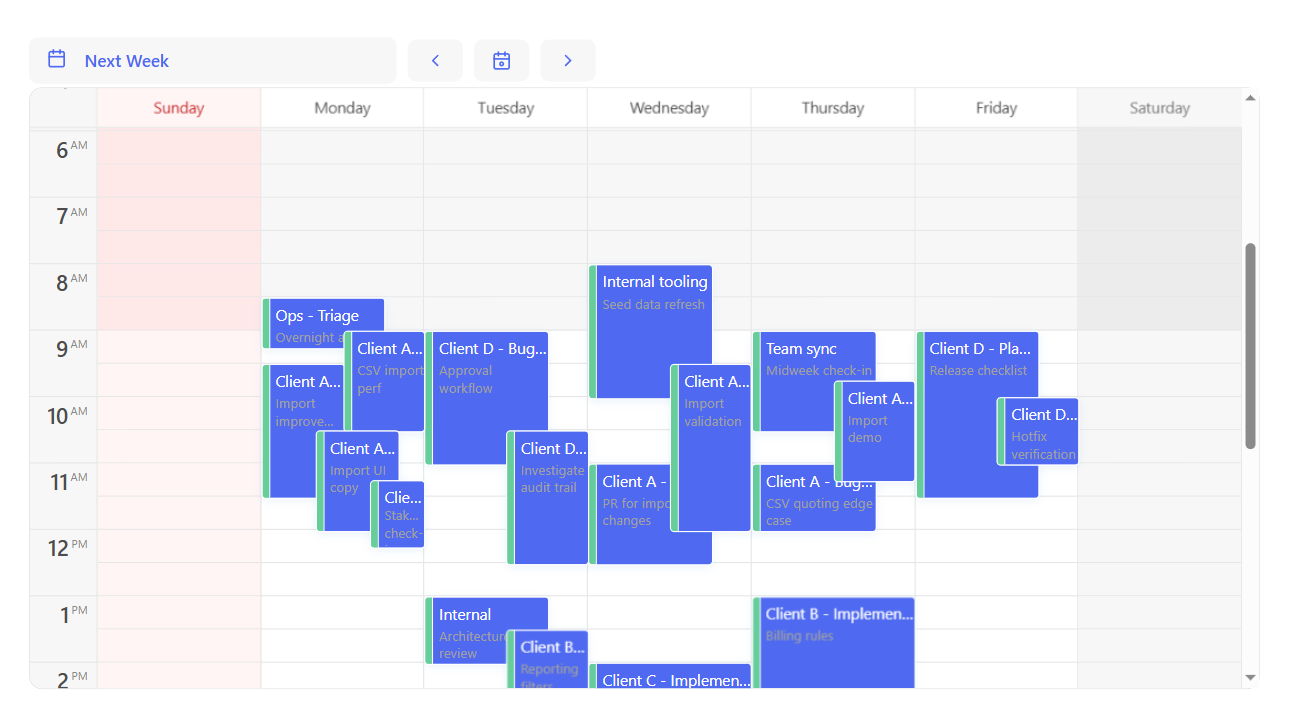
Support for overlap
Events can overlap without visual clutter, making it easy to see multiple schedules at a glance.
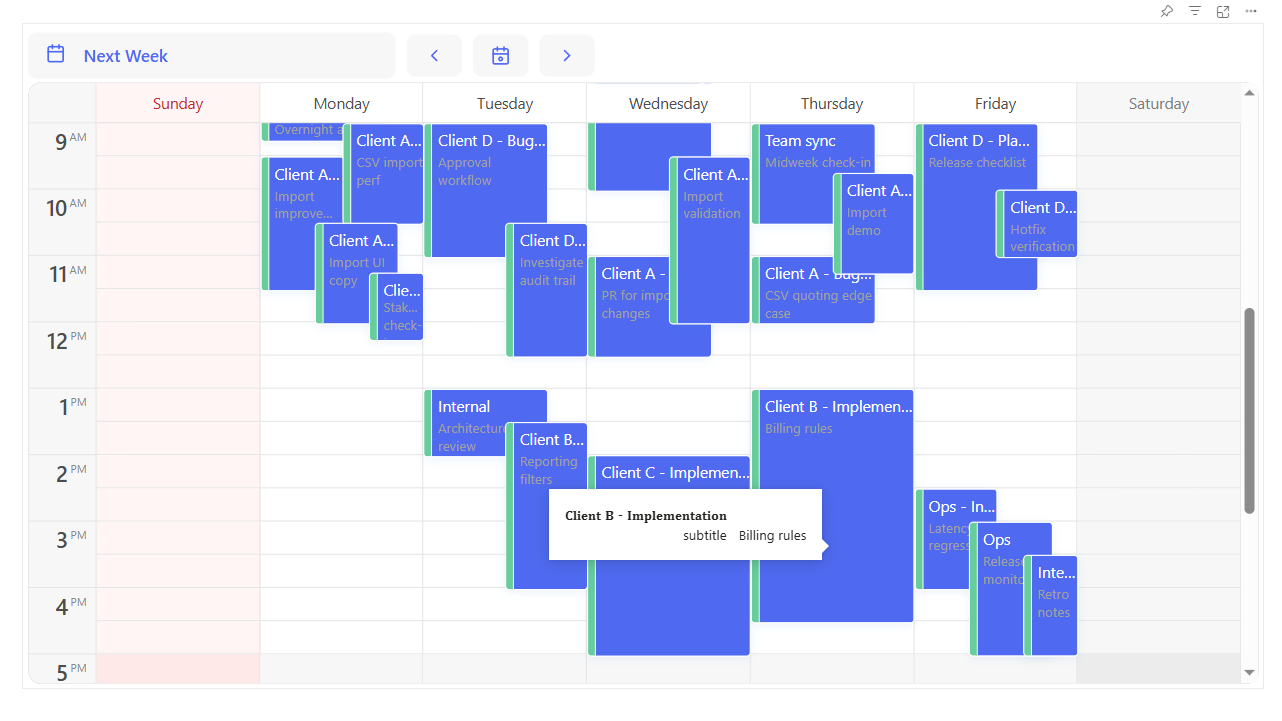
Interactive tooltips
Hover over events to see detailed information.
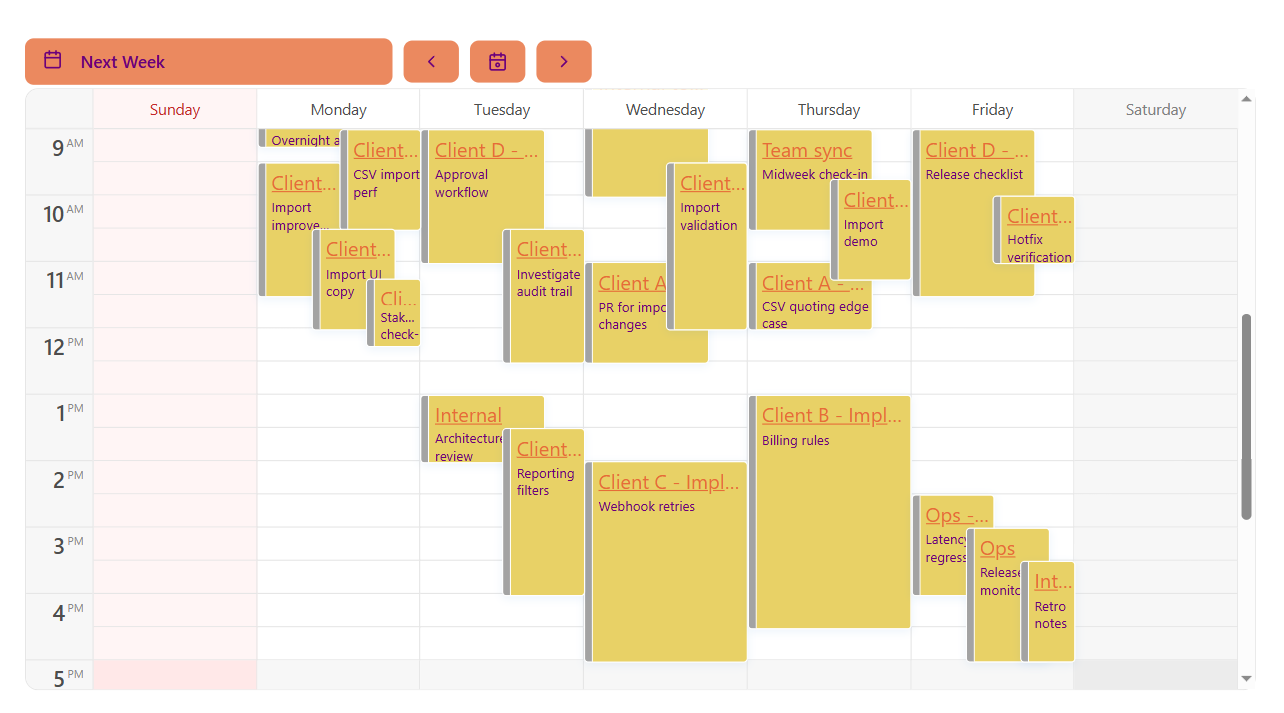
Custom event colors
Event color can be customized to match your branding or highlight specific types of events.
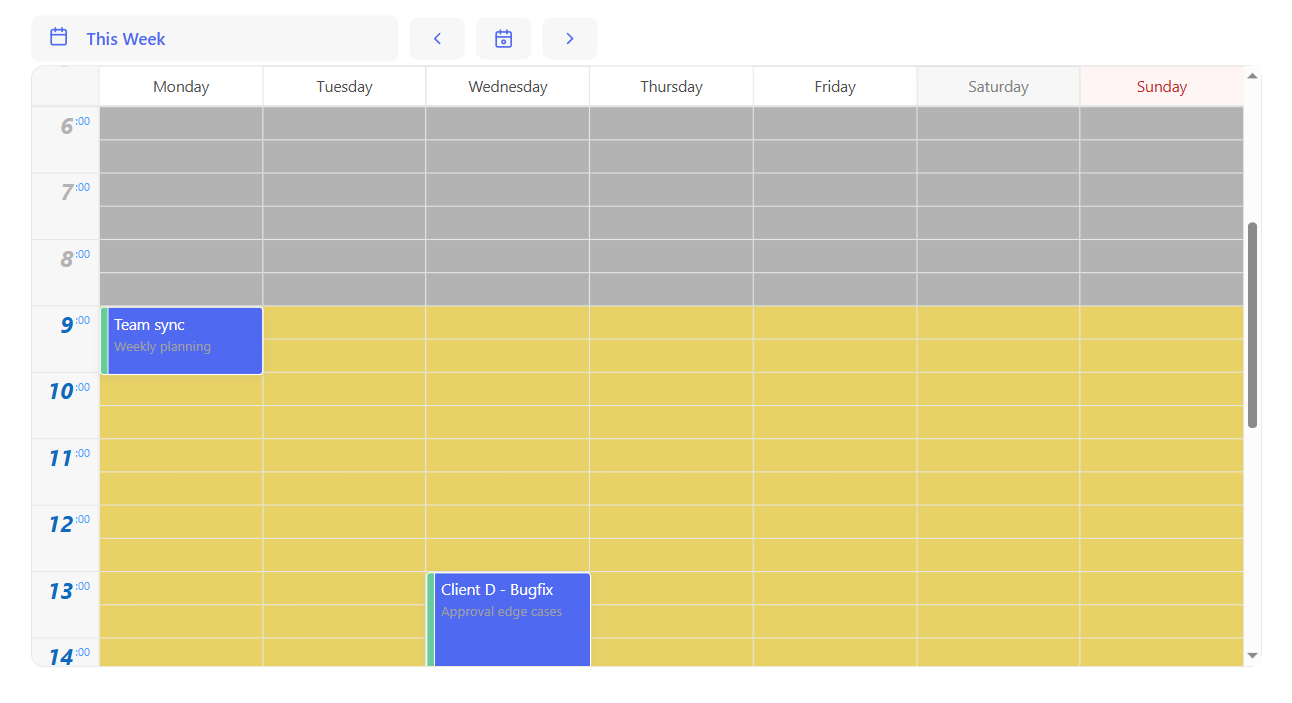
Hour slot coloring
Customize the color of hour slots, give different color to overtime hours.
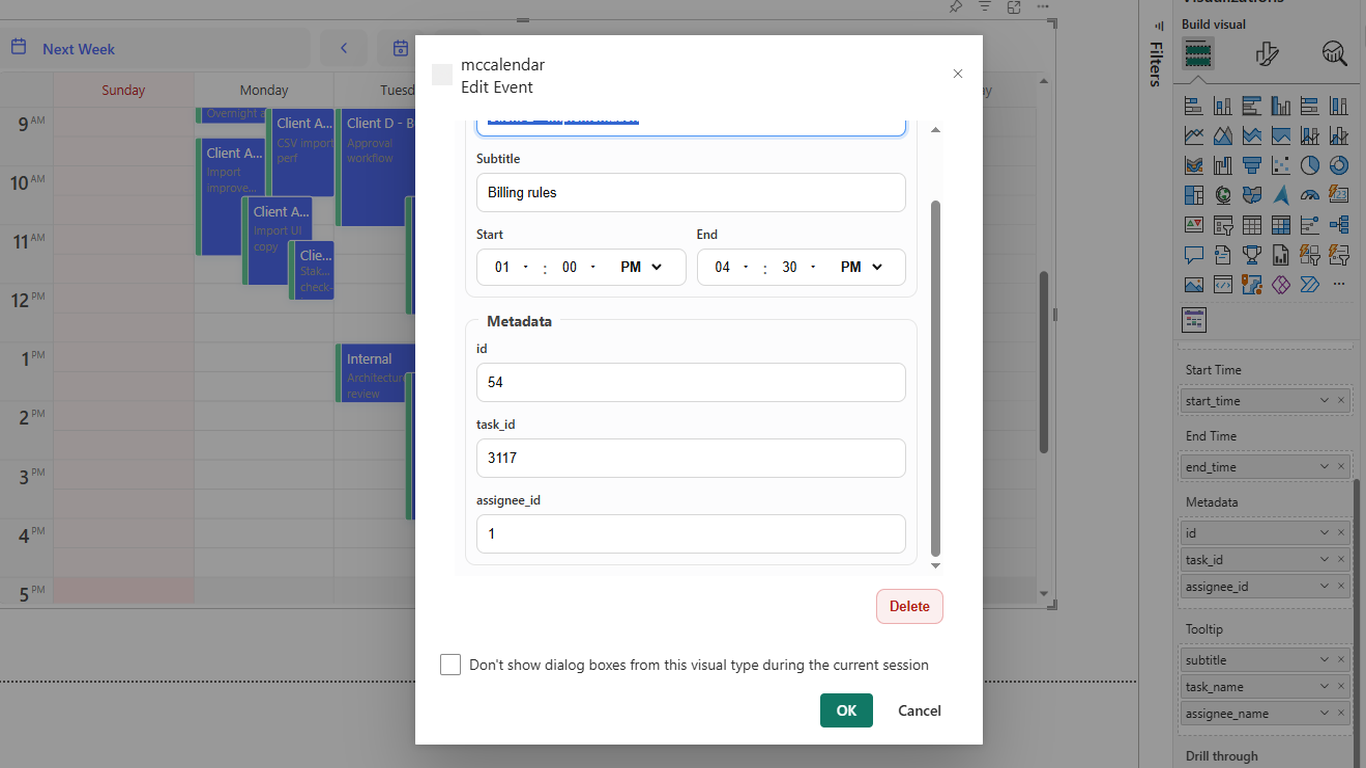
Edit calendar events
Open calendar events to edit details, adjust timings, and manage event metadata.
For metadata details, please refer to Writeback.
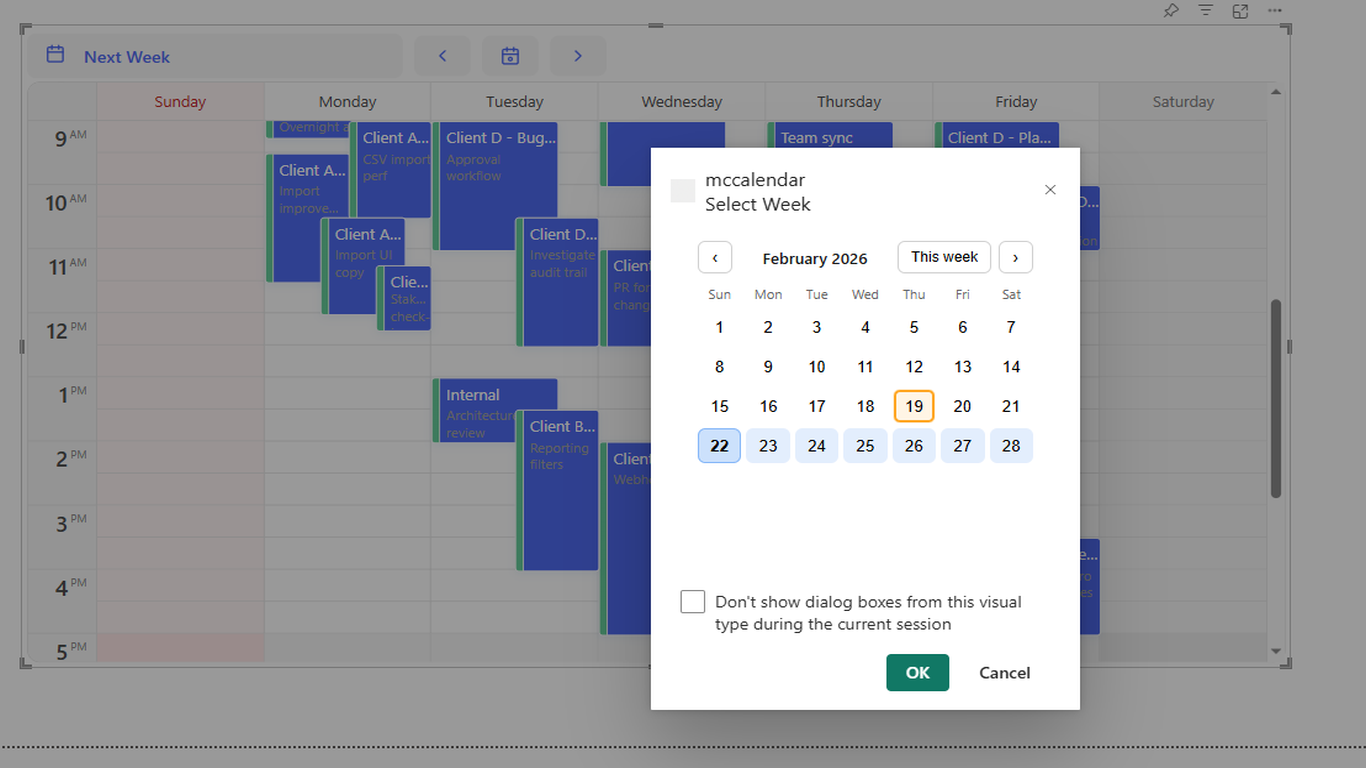
Week selector
Open the week selector dialog to choose a specific week or range of weeks.
Full white-labeling via Power BI styling
Built for real scheduling workflows
Calendar rendering from data
Each row becomes an event. Date and time fields drive the layout, with week navigation built in.
Interactive editing
Open a dialog to create or edit events, with validation for required fields and time ranges.
Metadata + tooltips
Send extra metadata on writeback, and surface up to 50 tooltip fields inside Power BI.
For metadata details, please refer to Writeback.